
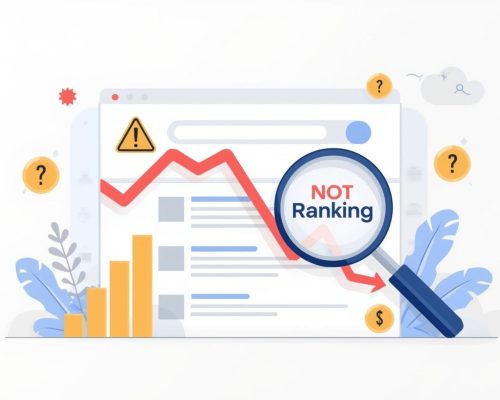
Why My Website is Not Ranking on Google (Easy Fix Guide for Beginners)
You’ve worked hard on your website. It looks clean, your content looks good, and you were expecting visitors from Google. But nothing is happening.No traffic, no clicks, and your website is nowhere to be found on Google search results.
If you are wondering “why my website is not ranking on Google”, you are not alone. I have personally seen this problem in many beginner websites. Even when a website looks good, it may still fail to rank because of small SEO mistakes.This can feel very frustrating. Many beginners go through this situation, and they all ask the same question
“Why is my website not ranking on Google?” The truth is, websites don’t rank automatically. Google needs time and the right signals to trust your website. If your site is not ranking, there are clear reasons behind it.
The good news is — you can fix it.
In this blog, I will explain the most common reasons in simple English and what you can do to improve your ranking step by step.
1. New Website and Ranking Delay
If you recently created your website, you need to be patient. Google doesn’t rank new websites instantly.
It first needs to:
- Discover your website
- Crawl your pages
- Index your content
This process can take weeks or even months.
To speed things up, submit your website to Google Search Console and upload a sitemap. Also, start linking your pages internally so Google can understand your site better.
2.Website Not Indexed on Google
Sometimes, your website exists, but Google doesn’t know about it. If your pages are not indexed, they will not appear in search results.
You can check this by searching your website URL on Google. If nothing shows up, indexing may be the issue.
Make sure there are no “noindex” tags blocking your pages. Also, check your robots.txt file and use Google Search Console to request indexing.
3.Technical SEO Issues Affecting Ranking
Even if your content is good, technical problems can stop your website from ranking.
Some common issues include:
- Slow loading speed
- Broken links
- Duplicate pages
- Poor URL structure
- No SSL (HTTPS)
- Not mobile-friendly
Google prefers websites that are fast, secure, and easy to use. You can use tools to audit your website and fix these problems. Improving technical SEO can make a big difference.
- Lack of SEO Optimization in Content
Writing content is not enough. It should be optimized so search engines can understand it.
Many beginners write blogs without:
- Proper headings
- Keywords
- Meta descriptions
- Internal links
Because of this, Google may not rank the content. Use your main keyword naturally in the title, headings, and content. Structure your blog with H1, H2, and H3 tags. Also, connect your pages using internal links.
- Wrong Keyword Selection
Choosing the wrong keywords is one of the biggest mistakes.
If you target very competitive keywords like “digital marketing,” it will be difficult to rank.
But using more specific keywords like “freelance digital marketing services” can give better results, especially for beginners.
Always think about what your audience is searching for and choose keywords accordingly.
6. Content Quality Issues
Google always wants to show useful content to users. If your content is too short, unclear, or copied from other websites, it will not rank.
Your blog should:
- Answer real questions
- Be easy to understand
- Provide value
Write in simple language and try to help the reader solve their problem.
- Slow Website Speed
Website speed is very important. If your website takes too long to load, users will leave quickly. This increases bounce rate and affects your ranking.
To improve speed:
- Compress images
- Use a good hosting service
- Remove unnecessary plugins
- Keep your design simple
A fast website improves both user experience and SEO.
- No Backlinks
Backlinks are links from other websites pointing to your website. They help build trust in Google’s eyes. If your website has no backlinks, it becomes difficult to rank.
You can start by:
- Writing guest posts
- Sharing content on social media
- Submitting your site to directories
- Answering questions online
Focus on getting quality backlinks instead of many low-quality ones.
- Irregular Website Updates
Google likes websites that stay active. If you publish one blog and stop, your website will not grow.
Try to:
- Post blogs regularly
- Update old content
- Add new information
Consistency helps Google trust your website.
- Poor Mobile Experience
Most users search on mobile devices. If your website is not mobile-friendly, it will affect your ranking.
Make sure:
- Your website is responsive
- Text is easy to read
- Navigation is simple
A good mobile experience is very important today.
- High Bounce Rate Issues
If users visit your website and leave quickly, it tells Google that your content is not helpful. This can reduce your ranking.
To fix this:
- Improve your content
- Use headings and images
- Make your site easy to navigate
Keep users engaged on your page.
- No Internal Linking
Internal linking helps Google understand your website structure. It also helps users explore your content.
You can:
- Link blog posts to service pages
- Connect related articles
- Use clear anchor text
This small step can improve your SEO.
- Lack of SEO Performance Tracking
If you don’t track your website performance, you won’t know what is working.
Use tools like:
- Google Analytics
- Google Search Console
Track your traffic, keywords, and user behavior. This helps you improve your strategy.
- Your Competitors Are Doing Better
Sometimes, your competitors are simply doing better SEO than you.
They may have:
- Better content
- More backlinks
- Better design
Study their websites and find what they are doing right. Then improve your own content and provide more value.
I have seen many small business websites facing this issue, especially beginners who are new to SEO.
Conclusion
When I started learning SEO, I also faced the same issue and kept wondering why my website is not ranking on Google. But by fixing small problems step by step, I started seeing real results. If your website is not ranking on Google, don’t worry—this is very common, especially for beginners. The solution is simple, but it requires consistency and patience.
Focus on
choosing the right keywords
creating helpful content
fixing technical issues
building backlinks
updating your website regularly
These small improvements can make a big difference over time.
SEO is a long-term process. If you keep improving step by step, your website will start ranking and bring more traffic
Do you want to rank your website on Google and get more customers?
I provide SEO and digital marketing services to help businesses grow online. If you are looking for a freelance digital marketer, feel free to contact me.